Progressive Web Apps: The Technology Reshaping How Zimbabwe Businesses Go Mobile
You have probably heard the term "Progressive Web App" — or PWA — thrown around by developers and tech blogs. But what does it actually mean for you as a business owner? And more importantly, should you care?
The short answer: yes. A PWA is probably the most cost-effective way for a Zimbabwe business to deliver a mobile app experience to customers, and I have been building them for local businesses since the technology matured. Let me explain exactly what they are and why they matter — in language that does not require a computer science degree.
- A PWA is a website that looks, feels and acts like a native phone app
- PWAs install directly from the browser — no App Store or Google Play needed
- They work offline, send push notifications and load extremely fast
- Building one codebase serves all devices, saving 35–75% vs native apps
- PWAs are ideal for Zimbabwe's connectivity challenges
What Exactly Is a PWA?
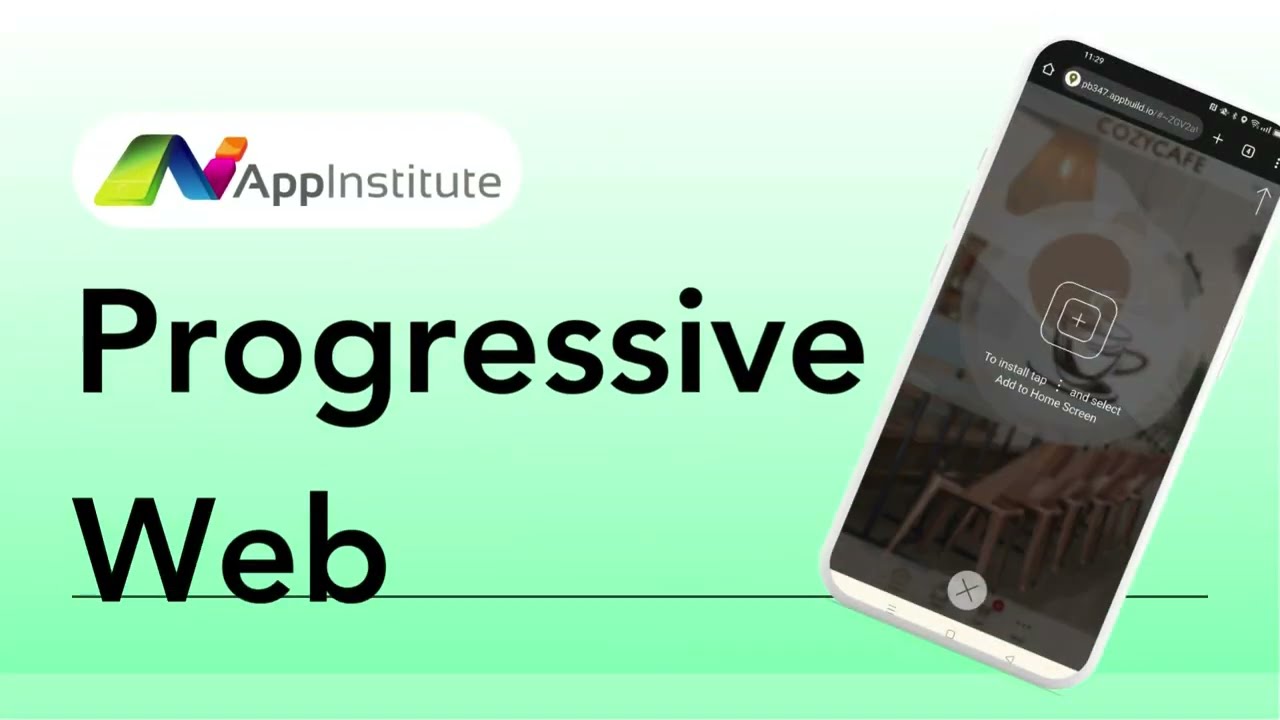
A Progressive Web App is a website built with modern web technologies that gives users an app-like experience. When someone visits your PWA on their phone, they can tap "Add to Home Screen" and your app appears as an icon — just like any app downloaded from an app store.
Once installed, it opens in full-screen mode (no browser address bar), loads almost instantly, can work without an internet connection, and can send push notifications to bring users back. From a user's perspective, it is indistinguishable from a "real" app.
The Three Technical Pillars
PWAs are built on three core technologies:
- Service Workers: Background scripts that cache your app's content so it loads instantly and works offline. Think of them as a smart middleman between your app and the internet.
- Web App Manifest: A simple configuration file that tells the phone how to display your app — its name, icon, colours and screen orientation when installed.
- HTTPS: PWAs require a secure connection, which protects your users' data and builds trust.
Why PWAs Are Perfect for Zimbabwe
I have been in digital marketing in Zimbabwe for over 15 years, and I can tell you that our market has specific challenges that make PWAs especially valuable:
Low Data Consumption
After the first visit, a PWA caches most of its content locally. Subsequent visits use a fraction of the data — critical when your customers are watching every megabyte. This is something I explore in depth in my article on building apps for Zimbabwe's connectivity challenges.
No App Store Barriers
Getting into the Apple App Store requires a $99/year developer account and a review process that can take weeks. Google Play charges $25 and has its own hurdles. A PWA bypasses all of this — your customers just visit your website and install it. No downloads, no account creation, no friction.
Works on Budget Devices
Many Zimbabweans use affordable Android devices with limited storage. PWAs are lightweight — typically 1–5 MB compared to 50–200 MB for native apps. Your customers do not need to delete their photos to install your business app.
Offline Functionality
Load-shedding and patchy connectivity are realities in Zimbabwe. A well-built PWA lets users browse your menu, check your service list, read your content or even start filling out a form — all without an internet connection. When connectivity returns, everything syncs automatically.
PWA vs Native App: Which Should You Choose?
I wrote a detailed comparison in my article Progressive Web Apps vs Mobile Apps, but here is the quick summary:
| Feature | PWA | Native App |
|---|---|---|
| Development cost | $500–$15,000 | $5,000–$50,000+ |
| Platforms served | All (one codebase) | iOS + Android separately |
| App store submission | Not required | Required |
| Offline support | Yes | Yes |
| Push notifications | Yes | Yes |
| Camera/GPS access | Yes | Yes |
| Bluetooth/NFC | Limited | Full |
| Updates | Instant (no re-download) | Through app store |
For most Zimbabwe businesses — restaurants, professional services, retailers, lodges — a PWA delivers everything you need at a fraction of the development cost.
Real-World PWA Success Stories
Some of the world's biggest brands use PWAs: Twitter Lite reduced data consumption by 70%, Starbucks' PWA is 99.84% smaller than their native iOS app, and Pinterest's PWA increased user engagement by 60%. Closer to home, I have built PWAs for Zimbabwe businesses that load in under two seconds on 3G connections and achieve engagement rates typically only seen from native apps.
Should Your Business Build a PWA?
If you are a Zimbabwe business that wants to offer a mobile app experience without the complexity and cost of native development, the answer is almost certainly yes. Not sure whether you need an app at all, or whether a mobile-responsive website would suffice? I have a guide for that too.
The best way to find out is to have a conversation about your specific business needs. I will give you an honest assessment — if you do not need an app, I will tell you.
Frequently Asked Questions
Can a PWA access the phone's camera and GPS?
Yes. Modern PWAs can use the camera, GPS, microphone and many other device features. The main limitations are Bluetooth and NFC access, which most business apps do not need anyway.
Will a PWA work on iPhones?
Yes. Apple added PWA support to Safari, and iPhones can install PWAs to the home screen. Some advanced features like push notifications on iOS arrived more recently, but the core experience works perfectly.
How do users find my PWA?
Through Google Search, social media links, QR codes, or direct URL — exactly like a website. Unlike native apps, PWAs are indexed by search engines, which means your SEO efforts drive app installations directly.
Can I convert my existing website into a PWA?
In many cases, yes. Adding PWA capabilities to an existing website is often straightforward and significantly cheaper than building a standalone app from scratch.